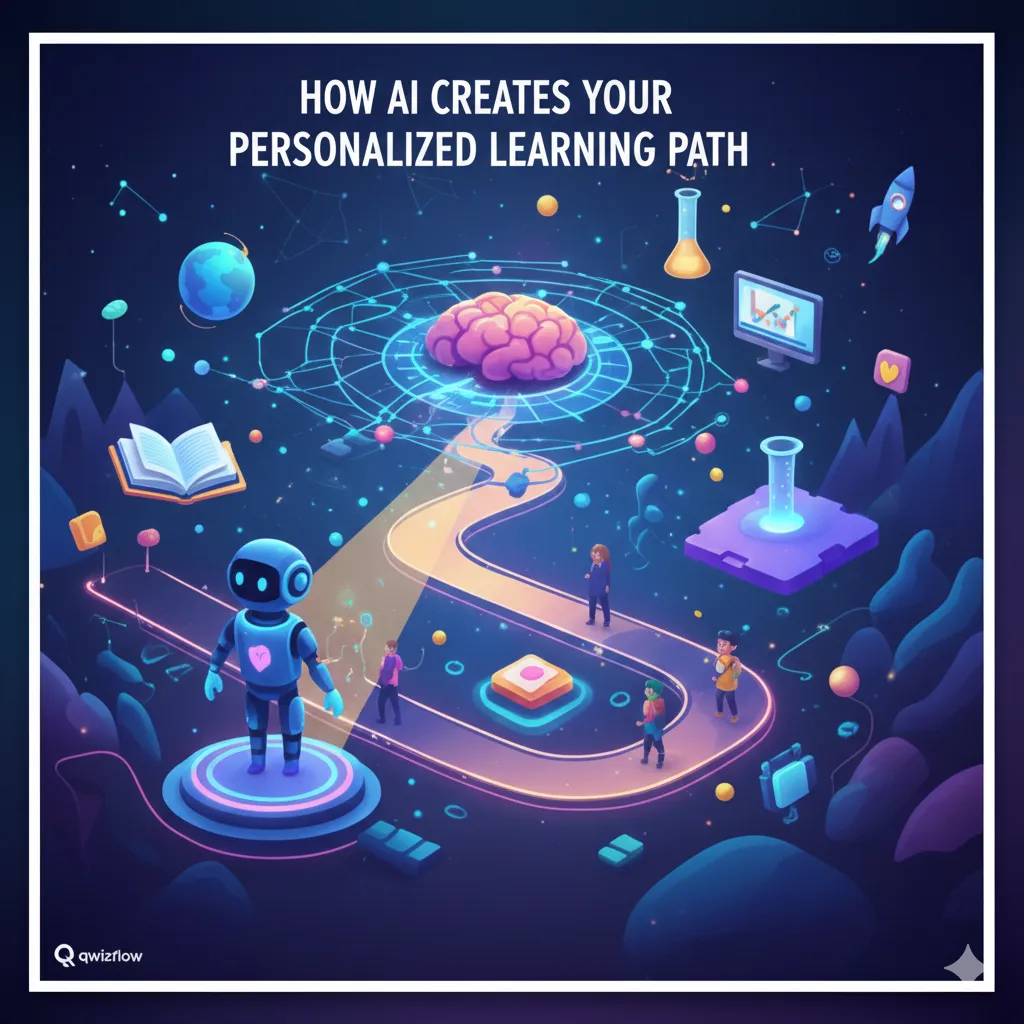
Everything Students Can Do on Qwizflow: The Complete Experience
By Qwizflow Team
17 April 2026
· 12 min read
Qwizflow gives students a complete learning universe — not just quizzes, but talking 3D AI tutors with real lip-sync, voice personas you can choose, creative studios, competitive arenas, a portfolio wall, an "ask a teacher" button on every screen, and a transparent AI usage meter you can see at all times. 130+ features, 10 categories, 20+ AI tools, free to start — organised here by what you want to do.
Learn — Your Personalised Curriculum
AI-Generated Learning Paths. Choose your curriculum (the Australian Curriculum, US state standards, or custom), and the AI builds a step-by-step path through every subject and topic. Paths adapt as you learn — topics you master move aside for the ones you still need.
Multi-Path Management. Study multiple subjects at once and switch between your Maths, Science and English paths with a single tap; each tracks its own progress independently.
AI Study Guides and Flashcards. Upload any PDF or photo, and the AI turns it into a structured study guide, interactive flashcard deck, or concept recap — complete with key definitions, summaries, and practice questions.
Concept Graph and Readiness Meter. See how every concept connects on an interactive knowledge map; before starting a new topic, the Readiness Meter tells you exactly how prepared you are based on prerequisite mastery.
Document Scanner and Photo Analysis. Snap a photo of your textbook or upload a PDF — the AI reads it, extracts the key content, and instantly creates quizzes, study guides, flashcards, or insight summaries from it.
Practice — Smart Quizzes That Adapt to You
Adaptive Quiz Engine. Every quiz adjusts in real time: get a question wrong and the AI serves an easier variant; nail three in a row and difficulty ramps up, with a live mastery bar throughout.
Diagnostic Pretest. Before a new subject, a 15–25 question diagnostic maps what you already know and builds your path around the gaps.
Computerised Adaptive Testing (CAT). A psychometrically calibrated test that estimates your true ability level in real time, selecting each question from your previous answers.
Misconception Lessons and Micro-Quizzes. The AI generates a personalised lesson targeting your exact misconception, followed by a 3-question retest; separate micro-quizzes hit your weakest concepts with 5 targeted questions.
Hints, Easier Questions and Retry Variants. Progressive hints without the answer, easier versions on request, and AI-generated variants of a concept you got wrong.
Spaced Repetition Reviews. Automatically scheduled reviews of material you are about to forget, so each concept comes back just before it fades.
Owl Tutor — One Chat for Everything AI
One Chat, Every AI Tool. Tap the floating Owl at the bottom of any page and a full-screen chat opens with a talking 3D character at the top. Type (or, from 13, say) what you want in plain language — "make me flashcards on photosynthesis", "quiz me on fractions", "write a story with me", "explain this homework photo" — and the right tool just happens inside the chat. You can attach a photo from your camera and the tutor reads it.
Type, Tap or Speak — Your Choice. Type or tap a suggestion; from 13 you can also tap the microphone to dictate. The tutor reads the reply aloud in your chosen voice persona — Maya, Aria, Liam, Tom, or Professor Owl. Slash-commands like /quiz, /flashcards, /story, /explain and /debate skip straight to a mode.
It Remembers What You Asked. Say "now make that easier" or "do another one like that" and it knows what you mean; conversations are saved for 90 days, then older history quietly expires.
One-Tap Approval When Something New Needs It. If a tool needs your parent's consent (or yours, if you're 16+), the chat shows a single bundle approval right there and picks up exactly where it paused.
AI Tutors — Your Personal Teaching Team
Live Tutor with a Talking 3D Character. An animated 3D character whose mouth shapes actually match the words you hear (15 viseme blendshapes per persona, driven from the synthesised audio). The panel adapts to your screen — side panel on a laptop, half-sheet on a tablet, full-height sheet on a phone — without losing your place.
Socratic Tutor (Text and Voice). Guides you to the answer through Socratic questioning — never just giving it away. In the Live Tutor you type or tap a suggested question and every reply is read aloud; from 13 you can dictate with the microphone. Read-aloud time comes from a daily voice allowance you can see.
Homework Helper. Upload a problem or type it in; the AI breaks it down step by step and takes follow-up questions in a natural chat.
Adaptive Explanations and "Explain Like...". Every explanation adapts to your level — or gets rewritten in the style of a sports commentator, a pirate, or a scientist while keeping the accuracy.
Owl Chat — Your Always-On Study Companion. A friendly AI owl in the corner of every page that knows your learning history, gives personalised suggestions, and chats publicly even before you sign in.
When You Are Stuck — Three Levels of Help
Cloud Read Aloud in Five Voices. Tap the speaker icon on any question stem, AI explanation, or study guide and a real, neural-quality voice reads it back. Choose Maya (warm Aussie), Aria (bright American), Liam (calm British), Tom (energetic Aussie) or Professor Owl (wise British narrator) — the voice can soften when you have been frustrated, and words gently glow as they are read.
The Idle Nudge — "Need a hand?". Sit too long without an answer and a friendly owl offers three options: a hint, the question read aloud, or Discussion Mode. Calibrated to your pace, and it only fires once per question.
Discussion Mode — Two AI Voices Talking It Out. Scout (curious learner) and Sage (wise teacher) discuss the topic out loud while you listen, with proper lip-sync on both sides. Interject any time — it is the third path between giving up and looking up the answer.
Ping Your Teacher with One Tap. Still stuck? Tap "Ask a Teacher" and your teacher gets a short, PII-scrubbed AI brief of what you were working on, what you tried, and where you got stuck — you see the status update without leaving Qwizflow.
Create — Express Yourself Through Learning
Story Writer. Co-write stories with the AI — you write a paragraph, the AI continues, weaving in concepts from your learning path.
Debate Arena and Roleplay Chat (16+). Debate the AI on any topic while it argues the opposite side and scores your reasoning, or step into a historical roleplay as a world leader, scientist, or lawyer.
Comic Explainer, Audio Podcasts and Remix Studio. Turn any concept into a comic strip, a podcast episode, or a remix — song lyrics, news articles, scripts, or infographics.
Compete — Earn, Battle, and Rise Through the Ranks
Daily Nuggets and Curiosity Quests. Every morning the AI rebuilds a 5-item Daily Nugget queue from your weakest topics, current misconceptions, and one curiosity prompt. Curiosity Quests come in two flavours: a daily exploration quest rewarding topic variety, and a weekly AI-generated deep-dive that follows what you have been genuinely curious about.
Streak Flame Inferno (5 Tiers and a Decay Window). Your streak chip is an animated flame that grows hotter as your streak compounds — Spark (days 1–2), Ember (3–6), Fire (7–29), Inferno (30–99), Plasma (100+). Near the end of the day the flame visibly weakens as a reminder; if a streak breaks, one dignified ceremony plays — no shaming, no daily nag.
Live Class Quiz (Flock Mode). Join your teacher's live quiz from your phone with a 6-character code and a nickname, race the class through AI-generated questions, and finish on a podium. Nicknames only — peers never see real names.
Battle Arena, Blitz Mode and Ranked Duels. 1v1 quiz battles against a friend or a random opponent, 60-second Blitz rounds, and season-long duel ratings.
Team Quests and Classroom Challenges. Form a squad for multi-stage quests, or compete in teacher-launched classroom challenges with live leaderboards.
FairScore Leaderboard and Momentum Meter. The weekly leaderboard ranks on a five-component FairScore — mastery, diversity, streak, effort, and challenger — instead of raw XP. Tap your row to see how each component contributed; the Momentum Meter shows today's contribution and rank delta.
Trophies and Achievements. Bronze, Silver, Gold and Platinum trophies for every mastered topic — append-only and never demoted — plus hidden achievements.
Customise — Make It Yours
Voice Persona Picker and Adaptive Mood. Pick from five voice personas in the included read-aloud voice, or let the platform choose based on your mood — calmer when frustrated, more upbeat when flying. An optional Studio Pack adds Studio Voice, a more natural voice in any supported language (never under 13; for 13–15 only when a parent switches it on), and Studio Pictures for history, geography, English and other humanities questions.
Content Level and Difficulty Mode. Choose Beginner through Expert content and an Explorer (relaxed), Standard, or Challenger (strict) mastery threshold; the platform adjusts difficulty, explanations, and pass requirements.
Customisable Dashboard and Accessibility. Drag-and-drop widgets, font sizing, contrast modes, reduced motion, screen reader optimisation, and age-banded visual density.
Wellness — Beyond the Classroom
Mood Check-ins, Focus Mode and Frustration Support. Optional mood check-ins, a Pomodoro-style Focus Mode, and proactive support if you get three wrong in a row — take a break, switch topics, or get easier content.
Social — Learn Together
Study Rooms, Study Buddies and Messaging. Collaborative study rooms, buddy matching on similar topics, and moderated in-platform messaging.
Portfolio Wall (Weekly). Each week the platform collects highlights of your work — a story you wrote, a debate you won, a topic you mastered — into a Portfolio Wall card. Tap "Caption" and the AI drafts a short reflection you can edit before saving (max 220 characters, your words at the end). Only your linked parent and your classroom teacher can view your wall.
Student Showcase and Profile Card. A shareable profile card of your achievements, streaks, and mastery levels.
Peak-Hour Nudge Preferences. The platform learns the hour you focus best and can send one gentle nudge then — override the hour or turn nudges off entirely. At most one nudge a day.
Insights and Goals — Understand How You Learn
Knowledge Galaxy. Every concept you have ever touched lives in your personal galaxy — bright stars are mastered, dim ones are waiting, and constellations link related ideas. Open it any time from your dashboard.
Goals with Exam and Career Countdowns. Set a real target — an exam, a scholarship, a career path — with a date and linked subjects, and Qwizflow rebuilds your path around it, showing a live countdown and a green / amber / red on-track status. Parents can co-set goals with you.
Error Analysis — Slips vs Real Gaps. Qwizflow tells whether a wrong answer was a slip, a procedural mistake, a conceptual misunderstanding, a vocabulary trip-up, or a prerequisite gap — so you stop re-practising the easy misses.
Curiosity Quests (Weekly, AI-Guided). Qwizflow notices what you have been curious about lately and generates a weekly deep-dive quest that follows the thread.
"Too Dry / Just Right / Too Babyish" Fit Rating. Every AI-generated explanation, story, and study guide has a simple 3-way rating; one tap and the next piece of content adjusts.
Transparency You Can See
Live AI Quota Meter (Battery Chip). A battery chip in your hub shows how much of your daily AI budget you have used — split into text, images, and voice minutes — with a per-feature popover breakdown. When you run low, the platform offers offline alternatives; caps reset at midnight.
Your Learner Profile Card. See exactly what the AI knows about you — mastery rollup, reading level, pace signature, mood signal, preferred learning modes, goals, error taxonomy, and any notes visible to you. You can request removal of any annotation about you.
Per-Feature Recent Activity. For any AI feature, see your last 10 interactions — feature, AI provider, timestamp, and a short PII-scrubbed summary.
Free to Start — Packs Are Optional
Qwizflow is free to start: every learner gets a free AI allowance each month — enough for about 40 new quizzes, starting again at the beginning of each month — and the battery chip in your hub shows what is left. If you want more, a parent can buy an optional one-off credit pack (no subscription), or you can buy one yourself from 16 — under 16, you never pay, and you can send your parent a one-tap request instead. An optional Studio Pack adds Studio Voice, a more natural read-aloud voice, and Studio Pictures, an illustrated scene for history, geography, English and other humanities questions (maths and science keep their free drawn diagrams); under 16, a parent switches it on for you. The free voice and the free drawn pictures stay included for everyone.
FAQ
How many features do students get on Qwizflow?
More than 130 student features across 10 categories, including 20+ AI tools — and the platform is free to start.
What is the Owl Tutor?
A single chat behind the floating owl button on every page. Students say or type what they want in plain language — flashcards, a quiz, a story, homework help — and the right tool happens inside the chat, with replies read aloud (and voice typing from 13), slash-commands, and conversations saved for 90 days.
What help does a student get when stuck on a question?
Three levels: an idle nudge offering a hint, read-aloud or Discussion Mode; Discussion Mode itself, where Scout and Sage talk the topic out with lip-synced voices; and a one-tap "Ask a Teacher" that sends the teacher a PII-scrubbed brief of what was tried.
Which voice personas can students choose?
Five: Maya (warm Aussie), Aria (bright American), Liam (calm British), Tom (energetic Aussie) and Professor Owl (wise British narrator). The voice can also adapt to mood — softer when you're frustrated, brighter when you're flying.
How does the streak flame work?
The streak chip grows hotter through five tiers — Spark (days 1–2), Ember (3–6), Fire (7–29), Inferno (30–99) and Plasma (100+). It visibly weakens near the end of the day as a reminder, and a broken streak gets a single dignified ceremony — no shaming.